
Introduction
As a Network Security Analyst & Firewall Specialist with 12 years of experience, I've seen a strong grounding in the OSI model materially improve troubleshooting and hardening efforts. The OSI model, introduced in the 1980s, is a conceptual framework that helps you isolate issues and reason about where protocols and devices operate. According to the Cisco Networking Academy, many operational issues map to misconfigurations across these layers, underscoring the model’s practical value.
This guide walks through each OSI layer (Physical → Application) with concrete commands, real-world examples, and security/troubleshooting checklists you can apply immediately. You'll see how to use tools such as traceroute, tcpdump, Wireshark, and iperf3 (iperf3 3.10+ recommended), and get configuration snippets (Cisco IOS examples and nginx snippets) that reflect production setups. The goal is practical: help you quickly isolate failures, secure attack surfaces, and improve performance.
Layer 1: Physical Layer – The Backbone of Communication
Understanding the Physical Layer
The Physical Layer transmits raw bits over a medium: copper pairs, fiber optics, radio waves, or coax. It specifies electrical/optical signaling, connector types (RJ45, LC), and medium characteristics (attenuation, dispersion). Common deployed media and realistic ranges:
- Ethernet copper (Cat5e/Cat6/Cat6A): up to 10 Gbps for Cat6A within 100 m
- Single-mode fiber (OS2): long-haul, tens of kilometers with DWDM
- Multi-mode fiber (OM3/OM4): short to medium distances, 10–100 Gbps depending on transceivers
- Wireless (802.11ac/ax): shared medium, RF planning required
Real-world example: I deployed a campus fiber backbone using single-mode trunks with 100G DWDM transceivers to connect two data halls ~10 km apart (QSFP28 modules). Optical link testing used an OTDR for loss characterization and an optical power meter for per-span verification.
Layer 1 testing commands (quick checks)
Beyond simple reachability tests, use link- and media-specific commands and sensors to validate physical integrity and optics.
# Basic IP reachability (useful immediate test of lower layers)
ping -c 4 192.168.1.1

# Link-level: Linux — show link state and negotiated speed
ethtool eth0

# Link counters/statistics on Linux
ip -s link show dev eth0

# Ethernet driver stats (detailed)
ethtool -S eth0

# Cisco IOS: check interface status on a switch
# (run on the switch CLI)
show interface GigabitEthernet1/0/1 status

# Cisco IOS: brief interface status and IPs
show ip interface brief

# For fiber: use an OTDR and optical power meter in the field
# (vendor-specific CLI/tools for transceiver diagnostics vary)
Notes: Use ethtool to inspect link speed/duplex and SFP presence. On managed switches, show interface <if> status and show ip interface brief reveal administrative/state mismatches. For fiber installations, use an OTDR and an optical power meter and refer to vendor optics datasheets when specifying transceiver models.
| Media Type | Typical Speed | Typical Distance |
|---|---|---|
| Ethernet (Cat 6A) | 10 Gbps | 100 meters |
| Single-mode Fiber (OS2) | 100 Gbps (with proper optics) | Kilometers to 40+ km |
| Coaxial Cable | Up to 1 Gbps (typical legacy) | Hundreds of meters |
| Twisted Pair (Cat 5e) | 1 Gbps | 100 meters |
Layer 2: Data Link Layer – Ensuring Error-Free Transmission
Role of the Data Link Layer
The Data Link Layer frames bits into named packets (frames), handles MAC addressing, and provides link-level error detection (CRC) and optional flow control. Key elements: Ethernet (IEEE 802.3), VLANs (IEEE 802.1Q), and wireless link-layer behaviors (802.11).
Example: I upgraded a university network by implementing VLANs on Cisco Catalyst switches and enabling Spanning Tree (Rapid PVST+) to prevent loops. VLAN segmentation improved broadcast containment and allowed per-VLAN ACLs on distribution switches.
Commands & tools
# Modern Linux: show interfaces and MAC/IP
ip addr show

# Show interface statistics per device
ip -s link

# View switch MAC table (example Cisco IOS)
# (on the switch prompt)
show mac address-table

# Capture link-layer frames (Linux)
sudo tcpdump -i eth0 -n -e vlan
Note: ifconfig and netstat are deprecated on many Linux distributions; prefer ip (iproute2) and ss for socket info. Use tcpdump -e to see link-layer headers and VLAN tags in captures.
Common Layer 2 elements
- Framing and addressing (MAC)
- Error detection (CRC) and link integrity
- VLAN segmentation, trunking (IEEE 802.1Q)
- Spanning Tree Protocol variants (STP/RSTP/PVST)
Sample Cisco VLAN configuration (access port)
! Example Cisco IOS (Catalyst) configuration
interface GigabitEthernet1/0/2
  switchport mode access
  switchport access vlan 10
  spanning-tree portfast
Layer 3: Network Layer – Routing Data Across Networks
Routing fundamentals
The Network Layer performs logical addressing and end-to-end routing (IPv4/IPv6). Routing protocols (OSPF, BGP, RIP) and ICMP for diagnostics live here. When scaling deployments (e.g., IoT with large address needs), IPv6 provides the necessary address space and routing improvements.
Real-world example: for an IoT deployment (~10k devices) we migrated subnets and added IPv6 addressing at the edge, improving path selection and reducing NAT complexity.
Layer-appropriate diagnostics
Instead of repeating a simple ping, use routing-specific tools that show path and per-hop latency. Example: traceroute (Linux/macOS) or tracert (Windows).
# Linux/macOS (shows the path and per-hop latency)
traceroute google.com

# Windows equivalent
tracert google.com

# Show routing table (Linux)
ip route show

# Show BGP routing summary (example Cisco IOS)
show ip bgp summary
Use traceroute to identify where packets are delayed or dropped along the path. Combine traceroute with BGP and routing table checks on routers when you see asymmetrical paths or persistent per-hop latency spikes.
Common Layer 3 protocols
| Protocol | Function | Example |
|---|---|---|
| IP | Logical addressing and routing | IPv4, IPv6 |
| ICMP | Diagnostics and error reporting | Ping, traceroute |
| ARP | Resolve IP→MAC on local links | Local address resolution |
| OSPF / BGP | Interior / Exterior routing | Enterprise WAN and Internet routing |
Layer 4: Transport Layer – Reliable Data Delivery Mechanisms
Ensuring data integrity
The Transport Layer manages end-to-end communication with TCP (reliable, ordered delivery) and UDP (low-latency, no retransmit). Choose protocols based on application needs: TCP for web APIs and file transfer; UDP for real-time voice/video where latency is critical.
Example: migrating a streaming service from UDP to TCP (or implementing QUIC/HTTP/3) improved transmission reliability under heavy contention, reducing retransmissions that negatively impacted user experience.
Commands & tools
# Show TCP/UDP connection statistics
ss -tuna

# System-wide protocol statistics
netstat -s

# Bandwidth and jitter testing (iperf3)
iperf3 -s   # on server (iperf3 3.10+ recommended)
iperf3 -c server.example -u -b 10M   # UDP client

# Capture packets for retransmit analysis (Linux)
sudo tcpdump -i eth0 tcp and host 192.0.2.10 -w transport.pcap
Use ss and netstat to diagnose connection states and retransmission counters. Use iperf3 (3.10+) for capacity and jitter measurements. Packet captures combined with flow counters reveal retransmit/reorder behavior that affects throughput.
Transport protocols comparison
| Protocol | Use Case | Behavior |
|---|---|---|
| TCP | Web, APIs, file transfer | Reliable, ordered delivery |
| UDP | VoIP, real-time media, DNS | Low-latency, no guaranteed delivery |
| QUIC | HTTP/3, low-latency web transport | UDP-based with built-in reliability and encryption |
Layer 5-7: Session, Presentation, and Application Layers Explained
Overview: why keep them distinct
Although often grouped, Layers 5–7 address different responsibilities:
- Session (L5) — session lifecycle, dialog control, and recovery mechanisms (e.g., SIP sessions, RPC/session tokens).
- Presentation (L6) — data representation, serialization, compression, and encryption (e.g., TLS, JSON, XML, canonicalization).
- Application (L7) — end-user services and protocols (HTTP(S), DNS, SMTP, REST/GraphQL, FTP, SSH).
Layer 5 — Session: practical commands and checks
Session concerns include how connections are initiated, maintained, and terminated. Useful checks:
# List established TCP sessions (Linux)
ss -tn state established

# Show listening services and their PIDs
ss -ltnp

# Check application logs for session lifecycle events (example)
sudo tail -n 200 /var/log/app/session.log
Real-world consideration: for VoIP (SIP) or conferencing, examine SIP signaling logs and RTP streams in parallel (capture via tcpdump). Implement session timeouts and consider session checkpointing or sticky sessions for stateful services behind load balancers.
Layer 6 — Presentation: TLS, serialization, and canonicalization
Presentation handles how data is encoded and protected. Key practical checks and commands:
# TLS certificate and handshake check (OpenSSL)
openssl s_client -connect example.com:443 -servername example.com -showcerts

# Verify server supports TLS 1.2/1.3 (quick check)
openssl s_client -connect example.com:443 -tls1_2

# Convert/check formats locally (use trusted libraries)
# Example: validate JSON using jq
echo '{"k":"v"}' | jq .
Security notes: validate and canonicalize inputs before parsing XML or other structured formats to mitigate XXE and deserialization vulnerabilities. Prefer widely adopted libraries (e.g., Jackson for JSON in Java, and well-maintained XML parsers that support secure parsing modes).
Layer 7 — Application: HTTP, APIs, web servers and troubleshooting
This is where user-facing protocols and services run. Below are immediate CLI checks and lightweight configuration examples for common issues.
# Request a URL and show full headers (curl)
curl -v -H "Accept: application/json" https://api.example.com/v1/products

# Send a request with a bearer token
curl -H "Authorization: Bearer $TOKEN" https://api.example.com/v1/items

# Check listening services and PIDs
netstat -anp | egrep ':(80|443)'

# Or using lsof to find process listening on TCP port 443
sudo lsof -iTCP -sTCP:LISTEN -P -n | grep :443
Example nginx TLS and security snippet (production settings vary):
server {
    listen 443 ssl http2;
    server_name api.example.com;

    ssl_certificate /etc/ssl/certs/fullchain.pem;
    ssl_certificate_key /etc/ssl/private/privkey.pem;

    # Prefer modern TLS versions
    ssl_protocols TLSv1.2 TLSv1.3;
    # Use ECDHE ciphers; vendor-specific string recommended by your OS/distribution
    ssl_prefer_server_ciphers on;

    # HSTS
    add_header Strict-Transport-Security "max-age=31536000; includeSubDomains; preload" always;

    # Basic rate limiting (example)
    limit_req_zone $binary_remote_addr zone=api_limit:10m rate=10r/s;
    location / {
        limit_req zone=api_limit;
        proxy_pass http://upstream_api;
    }
}
Troubleshooting tips: enable verbose application logging for a short window, use structured logs, correlate request IDs across frontend and backend, and replay suspect requests locally when feasible. For APIs, verify authentication headers, token expiry, and rate-limit headers returned by gateways.
Common protocols by sub-layer (quick reference)
- Session (L5): SIP, RPC mechanisms, session cookies/tokens
- Presentation (L6): TLS/SSL, JSON, XML, compression (gzip)
- Application (L7): HTTP/HTTPS, DNS, SMTP, FTP, SSH, REST, GraphQL
Security & Troubleshooting by Layer
The following checklist lists common vulnerabilities, detection tools, and mitigations per OSI layer. These are practical starting points you can apply immediately.
Layer 1 (Physical)
- Vulnerabilities: unauthorized physical access, cable tapping, faulty optics.
- Detection tools: OTDR, optical power meters, switch port monitoring.
- Mitigations: locked cabinets, port security (disable unused ports), tamper-evident seals, and discrete routing of fiber where possible.
Layer 2 (Data Link)
- Vulnerabilities: MAC spoofing, VLAN hopping, BPDU attacks.
- Detection tools: port security logs, switch MAC table monitoring, Wireshark (Wireshark 4.0.0+).
- Mitigations: enable port security, use DHCP snooping, dynamic ARP inspection (on capable switches), isolate management VLANs, and enforce BPDU guard/root guard where appropriate.
Layer 3 (Network)
- Vulnerabilities: route hijacking, IP spoofing, misconfigured ACLs.
- Detection tools: traceroute/tracert, BGP route monitoring, routing table audits, RPKI for BGP security.
- Mitigations: prefix filtering, strict inbound/outbound BGP policies, uRPF where appropriate, and least-privilege ACLs on routers.
Layer 4 (Transport)
- Vulnerabilities: SYN floods, UDP amplification attacks.
- Detection tools: netstat/ss, tcpdump (tcpdump 4.9.3+), packet inspection with Wireshark.
- Mitigations: rate limiting, SYN cookies, properly tuned kernel network buffers, use of application-layer gateways, and DDoS protection services for volumetric threats.
Layers 5-7 (Session/Presentation/Application)
- Vulnerabilities: session fixation, insecure deserialization, XSS/SQL injection, weak TLS configs.
- Detection tools: application and WAF logs, dynamic scanning (DAST), static analysis (SAST), and TLS handshake inspection with OpenSSL/Wireshark.
- Mitigations: enforce strong TLS (disable TLS 1.0/1.1), use HSTS, apply input validation and output encoding, rotate keys, implement secure session management (short expiry, revocation), and use a WAF for common web attack patterns.
Practical multi-layer troubleshooting workflow
- Start physical: verify cabling, link LEDs, and
ethtool/show interfaceoutput. - Check link-layer: confirm VLAN membership, MAC table entries, and STP status.
- Verify routing: traceroute / routing table; confirm next-hop reachability and BGP/OSPF state.
- Inspect transport:
ss/netstatfor connection states; use packet captures (tcpdump) to see retransmits. - Validate application: review logs, run API checks (curl), and examine TLS handshakes (openssl s_client) if applicable.
Example practical commands:
# Capture 1000 packets for a suspect host (Linux)
sudo tcpdump -i eth0 host 192.0.2.10 -c 1000 -w capture.pcap

# Inspect capture in Wireshark: wireshark capture.pcap

# Traceroute to observe path issues
traceroute google.com

# Basic throughput test with iperf3 (server on remote host)
iperf3 -c server.example -t 30

# TLS handshake quick check
openssl s_client -connect api.example.com:443 -servername api.example.com
Standards & Tools (references)
Primary standards and authoritative resources referenced in this guide (root domains only):
- IEEE (standards, including IEEE 802 family)
- IETF (RFCs for IP, TCP, UDP, etc.)
- Wi‑Fi Alliance (802.11 certification and guidance)
- Wireshark (packet analysis tool)
- Cisco Networking Academy (learning resources)
Use these root-domain resources to find the latest protocol RFCs, vendor recommendations, and tooling documentation.
Key Takeaways
- The OSI model breaks network functions into seven layers, which helps isolate and resolve issues methodically.
- Use layer-appropriate tools: ethtool/OTDR for Layer 1, switch MAC tables and Wireshark for Layer 2, traceroute and routing table checks for Layer 3, ss/netstat/tcpdump/iperf3 for Layer 4, and curl/openssl/nginx/WAF tools for Layers 5–7.
- Secure each layer: physical protections and port security (L1/L2), routing hardening and uRPF (L3), DDoS mitigations and transport hardening (L4), and strong TLS and input validation (L5–7).
- Follow a structured troubleshooting workflow: physical → link → network → transport → application to reduce mean time to resolution (MTTR).
Conclusion
The OSI model remains an essential mental model for network engineers and security practitioners. Mapping protocols, tools, and mitigations to each layer helps you narrow root causes faster and apply targeted countermeasures. When troubleshooting, collect evidence at each layer (counters, captures, and logs), correlate timestamps, and escalate from physical up to application only after eliminating lower-layer faults.
Want hands-on practice? Build a small lab: create VLANs on two switches (Cisco Packet Tracer or physical switches), run iperf3 tests, capture traffic with tcpdump, and inspect with Wireshark. Practice TLS checks with OpenSSL and simulate high-load conditions to validate rate limiting and connection handling.
About the Author
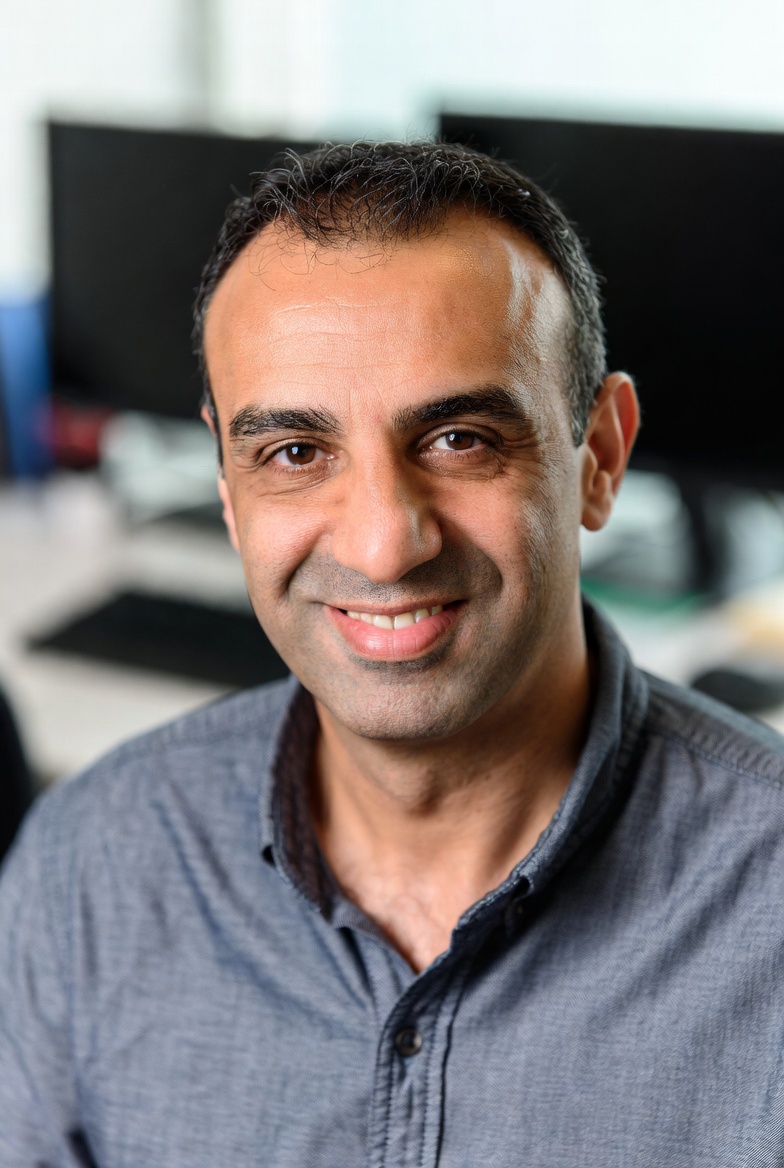
Ahmed Hassan is a Network Security Analyst & Firewall Specialist with 12 years of experience specializing in firewall configuration, IDS/IPS, network monitoring, and threat analysis. He focuses on practical, production-ready solutions and has worked on campus, data center, and cloud networking projects.